Square Face Icon Generator: Cat Face Maker

Create cute cat face icons with the Square Face Icon Generator.

How to use

  • Design your unique cat character
  • Customize fur colors, patterns, and expressions
  • Add whiskers, ears, and other cat features
  • Export as PNG or ICO for your profiles

Why a cat-themed avatar page earns its place

A cat avatar is not just a novelty for pet lovers. It is a practical style for streamers, cozy communities, indie game fans, and people who want an expressive mascot instead of a human face. This preserved page keeps that niche usable instead of reducing it to a dead archive.

Best for

Pet accounts, streamer side profiles, fandom spaces, and playful community identities.

What makes it useful

Animal features create personality quickly, especially when a human avatar would feel too formal.

Quick tip

Keep whiskers and ear contrast visible against the background so the cat silhouette reads instantly.
How to design a cat avatar with a clear silhouette

A cat avatar becomes recognizable through a few strong signals: ear shape, eye direction, whiskers, and the contrast between fur and background. Start with those signals before adding decorative colors. This makes the result useful as a profile picture even when the image is displayed at a small size.

A simple cat-avatar workflow

  1. Choose a face color that separates clearly from the background.
  2. Use the ears and eye expression to set the personality.
  3. Add whiskers or a collar only after the face reads clearly.
  4. Check that a circular crop will not remove both ears or the eyes.
  5. Export a clean version before experimenting with alternate colors.

Who this maker is for

This page suits pet accounts, mascot projects, streaming profiles, and communities that want an animal identity. If you want a human character, compare the Chibi Avatar maker or the main editor. For a stricter retro grid, use Square Pixel.

Export checklist

PNG is the most flexible format for social profiles. Check the eyes and whiskers at the final display size, because thin lines can disappear during compression. A plain background often produces a stronger cat icon than a detailed scene.

Ruffle compatibility and cat-maker troubleshooting

The Cat Maker is a local Ruffle-powered tool. Give the player a moment to initialize, especially on a mobile connection or the first visit.

  1. Wait for the cat face controls to finish loading before editing.
  2. Refresh once if the player area remains empty.
  3. Preview the face at a small size before exporting a social profile icon.

This style works well for cat accounts, mascot profiles, community badges, playful Discord identities, and animal-focused social avatars.

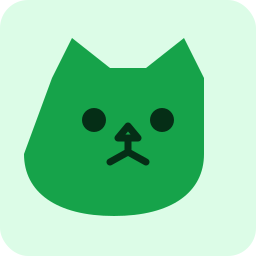
Example of a cat face icon

Example cat maker output

The cat direction uses pointed ears, a compact muzzle, and a simple expression so the mascot remains recognizable as a small avatar.

Browse the rest of the collection if you want a human, pixel, chibi, oval, or cube avatar instead of a cat-themed icon.